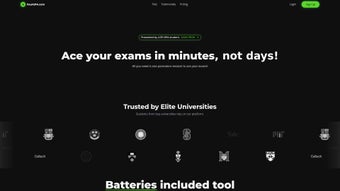

Download 4GPA – AI‑Powered Study Companion, Flashcards & Quiz Generator
Why 4GPA Is the Study Tool You’ve Been Waiting For
In an era where information overload is the norm, students need a smarter way to turn raw material into lasting knowledge. 4GPA answers that call by marrying proven learning science—spaced repetition, active recall, and summarization—with cutting‑edge artificial intelligence. Whether you’re juggling high‑school homework, preparing for a university mid‑term, or brushing up on professional certifications, the platform adapts to your schedule, learning style, and subject matter.
The result is a unified workspace where flashcards, concise summaries, and dynamic quizzes live side by side, eliminating the hassle of switching between separate apps. Because the core engine runs in the cloud, you can start a study session on a laptop, continue on a tablet during a commute, and finish on a phone while waiting in line—all without losing progress. This seamless, secure, and free‑first approach has quickly made 4GPA a favorite among educators and learners worldwide.
The following review breaks down the most important aspects of 4GPA: a detailed overview of what the software does, a deep dive into its feature set, step‑by‑step installation and compatibility notes, an honest look at the pros and cons, and answers to the most common questions. By the end you’ll know exactly how 4GPA can fit into your study routine and why it’s worth downloading today.
Overview of 4GPA
4GPA is an AI‑driven web application that transforms the traditional study workflow into a personalized, data‑rich experience. At its heart lies a set of algorithms that automatically generate flashcards from any uploaded document, create concise summaries of long‑form content, and build quizzes that adapt to your mastery level in real time. The platform’s “Study Roadmap” feature maps out optimal study sessions based on upcoming deadlines, personal strengths, and the scientifically proven spacing effect, ensuring that you review material just before it’s likely to fade from memory.
The AI engine works across multiple file formats—PDFs, Word documents, PowerPoint slides, and even handwritten notes captured via a smartphone camera. After you upload a source, the system parses headings, extracts key concepts, and suggests flashcard prompts that you can edit or approve. For students who struggle with note‑taking, the summarizer condenses chapters into bite‑sized paragraphs, highlighting definitions, formulas, and critical arguments. All of this happens in seconds, giving you more time to focus on understanding rather than transcription.
Security and privacy are baked into the architecture. All data is encrypted in transit (TLS 1.3) and at rest (AES‑256), and the service complies with GDPR and FERPA regulations, making it suitable for both K‑12 and higher‑education environments. The free tier offers unlimited access to core tools, while premium bundles provide exam‑specific content, advanced analytics, and priority support. Whether you study on Windows, macOS, iOS, Android, or Linux, 4GPA delivers a consistent, responsive interface that feels native on every device.
Key Features, Advantages & Drawbacks
- AI‑generated flashcards with spaced‑repetition scheduling based on the SM‑2 algorithm.
- Automatic summarization of textbooks, articles, lecture slides, and PDFs.
- Dynamic, adaptive quiz generator that tailors question difficulty to your performance.
- Multilingual note translation supporting over 20 languages and automatic pronunciation guides.
- Text‑to‑speech audio notes for auditory learners, available offline after sync.
- Personalized Study Roadmap that aligns study sessions with exam dates and personal goals.
- Collaboration tools for group decks, real‑time editing, and shared progress tracking.
- Free plan with unlimited core features; premium bundles for SAT, GRE, MCAT, and professional exams.
- Secure cloud storage with end‑to‑end encryption and GDPR/FERPA compliance.
- Seamless integration with Google Drive, OneDrive, Dropbox, and popular LMS platforms.
Pros
- Intuitive, clean interface that requires virtually no onboarding time.
- AI continuously improves as you use the platform, delivering smarter suggestions.
- All‑in‑one solution removes the need for multiple separate study apps.
- Generous free tier makes powerful tools accessible to every student.
- Cross‑device synchronization ensures your study material is always up‑to‑date.
- Robust security guarantees data privacy for academic institutions.
Cons
- Full feature set depends on an active internet connection; offline mode is limited to previously synced content.
- Advanced analytics dashboards and detailed performance reports are locked behind premium plans.
- AI summarization, while accurate in most cases, can occasionally miss nuanced details that require manual correction.
- Some users report a learning curve when customizing the Study Roadmap for highly irregular schedules.
Installation, Setup & Compatibility
4GPA is primarily a web‑based service, which means you can start using it without any traditional installation. Simply open a modern browser—Chrome, Firefox, Safari, or Edge—and navigate to www.4gpa.com. The site detects your device and serves an optimized layout, whether you’re on a desktop, tablet, or smartphone.
Step‑by‑step onboarding:
- Create an account: Register using a school email or any personal address. Instant verification is provided, and you can also sign in with Google or Apple SSO for convenience.
- Select a plan: Begin with the free tier to explore all core functionalities. If you need exam‑specific content or advanced analytics, upgrade to a premium plan via Stripe or PayPal.
- Import study material: Upload PDFs, DOCX files, PowerPoint decks, or connect your cloud storage (Google Drive, OneDrive, Dropbox). The AI extracts key concepts and suggests flashcards automatically.
- Configure your Study Roadmap: Input upcoming exam dates, set daily study targets, and let the AI recommend optimal session lengths and content order.
- Start studying: Use the dashboard to launch flashcard reviews, take adaptive quizzes, listen to audio notes, or collaborate on group decks.
Operating System Compatibility: Because 4GPA runs in the browser, it works flawlessly on Windows 10/11, macOS Monterey and later, major Linux distributions, iOS 14+, and Android 9+. A progressive web app (PWA) can be “installed” on both desktop and mobile devices, providing offline access to synced study sets. Additionally, an Electron‑based desktop client is available for Windows and macOS, delivering system‑level notifications and a native feel.
Mobile users can download the native iOS app from the App Store or the Android app from Google Play. Both apps mirror the web experience, keep data synchronized via the cloud, and support push notifications for study reminders. Whether you prefer a lightweight browser session or a full‑featured desktop client, 4GPA ensures a consistent, secure, and responsive experience across all platforms.
Frequently Asked Questions
Is 4GPA really free or are there hidden costs?
The free plan provides unlimited flashcards, AI summaries, quizzes, and basic Study Roadmap features. There are no hidden fees. Premium plans unlock advanced analytics, exam‑specific bundles, and priority support, but they are optional.
Can I use 4GPA offline?
Yes. After you sync your study sets, the PWA and desktop client store them locally, allowing flashcard review and audio playback without an internet connection. AI‑generated features (summaries, new quizzes) require online access.
How does the spaced‑repetition algorithm work?
4GPA uses the proven SM‑2 algorithm, adjusting intervals based on your recall accuracy. Correct answers lengthen the gap before the next review, while missed cards are shown more frequently, maximizing long‑term retention.
Is my data secure on 4GPA?
All user data is encrypted both in transit (TLS 1.3) and at rest using AES‑256. 4GPA complies with GDPR and FERPA guidelines, making it safe for academic use.
Can I collaborate with classmates on flashcard decks?
Absolutely. The platform includes a “Group Deck” feature where you can invite peers, edit cards together in real time, and track collective progress.
Conclusion & Call to Action
4GPA stands out as a comprehensive, AI‑enhanced study companion that genuinely addresses the pain points of modern learners. Its blend of intelligent flashcards, automatic summarization, multilingual support, and a free‑first pricing model makes it an attractive option for anyone looking to boost academic performance without juggling multiple apps. Whether you’re a high‑school student prepping for finals, a university scholar navigating dense research material, or a professional seeking continuous education, 4GPA offers a secure, cross‑platform solution that adapts to your unique workflow.
Ready to transform your study sessions? Sign up for free today and experience the power of AI‑driven learning. For exam‑specific preparation, explore the premium bundles and enjoy a 14‑day risk‑free trial. Elevate your grades, master new subjects, and study smarter—not harder—with 4GPA.



.png)



